Are Online Scientific Calculators Accurate? (Errors, Limitations & How to Get 100% Correct Results)
- Published: May 04, 2026
- Calculating reading time...
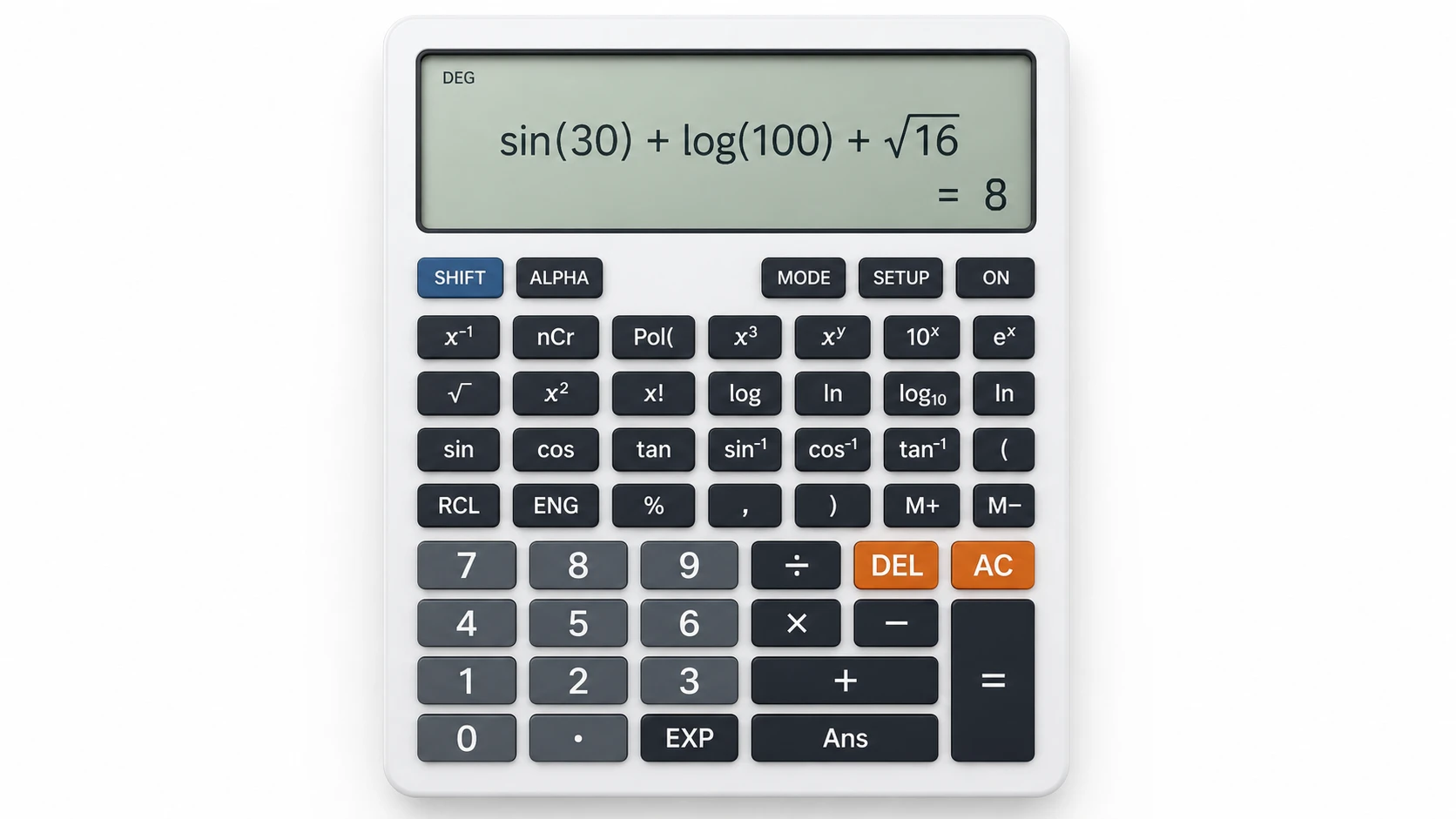
Are online scientific calculators accurate?
Yes, online scientific calculators are accurate when used correctly. They follow strict mathematical rules, but small errors can still occur due to incorrect input, wrong mode settings (DEG/RAD), or missing brackets.
Online tools have changed the way we solve math problems. Today, a scientific calculator can handle everything from basic arithmetic to advanced trigonometry, logarithms, and engineering equations within seconds.
So, are online scientific calculators accurate? More importantly, can they ever give unexpected results?
Most problems in real-world use do not arise because of the calculator itself but rather because of the organization and configuration of the input.
In this guide, you’ll see real examples, common mistakes, and accuracy limits to enable you to clearly understand how these calculators actually perform in real-life scenarios.
Quick Answers
Are online scientific calculators accurate?
Yes, an online scientific calculator is very accurate provided it is properly used with the right input and right settings. Small differences may appear due to rounding and digital precision limits.
Why does my calculator give wrong answers?
Most incorrect results happen due to wrong input, incorrect mode (DEG/RAD), or missing brackets. The calculator always follows strict mathematical rules.
Can online calculators be trusted?
Yes, they can be trusted because they follow fixed mathematical logic. Accuracy depends on correct usage, not the calculator itself.
Are Online Scientific Calculators Accurate?
Modern bold scientific calculator accuracy is based on the same mathematical logic used in physical devices like Casio and Texas Instruments.
This means:
produce consistent and repeatable results
They follow strict mathematical functions
They execute exact calculation logic
However, there’s one condition:
At the end of the day, accuracy is less about the calculator and more about how clean and correct your input is.
Real-World Test: Do Scientific Calculators Give Consistent Results?
To see how this works in real situations, I tried a simple test during a practice session. I was solving trigonometry problems, the kind that usually confuse students under time pressure. At one point, I intentionally switched between DEG and RAD mode to see how easily the result changes without any visible warning.
Here’s what happened:
Same input → same output
Different mode (DEG vs RAD) → completely different result
In simple terms, the calculator itself is behaving consistently — there is no randomness in the system at all. The variation only appears when the input environment changes.
In repeated testing across different platforms, the output remains mathematically identical when the input structure is correct — confirming that consistency is built into the system itself.
The only time results differed was when a variable such as angle mode or bracket structure was intentionally changed, which proves the calculator is executing logic exactly as expected.
How Online Scientific Calculators Actually Work
A bold online calculator does not "think" – it executes.
Simple Process Behind Calculator Accuracy
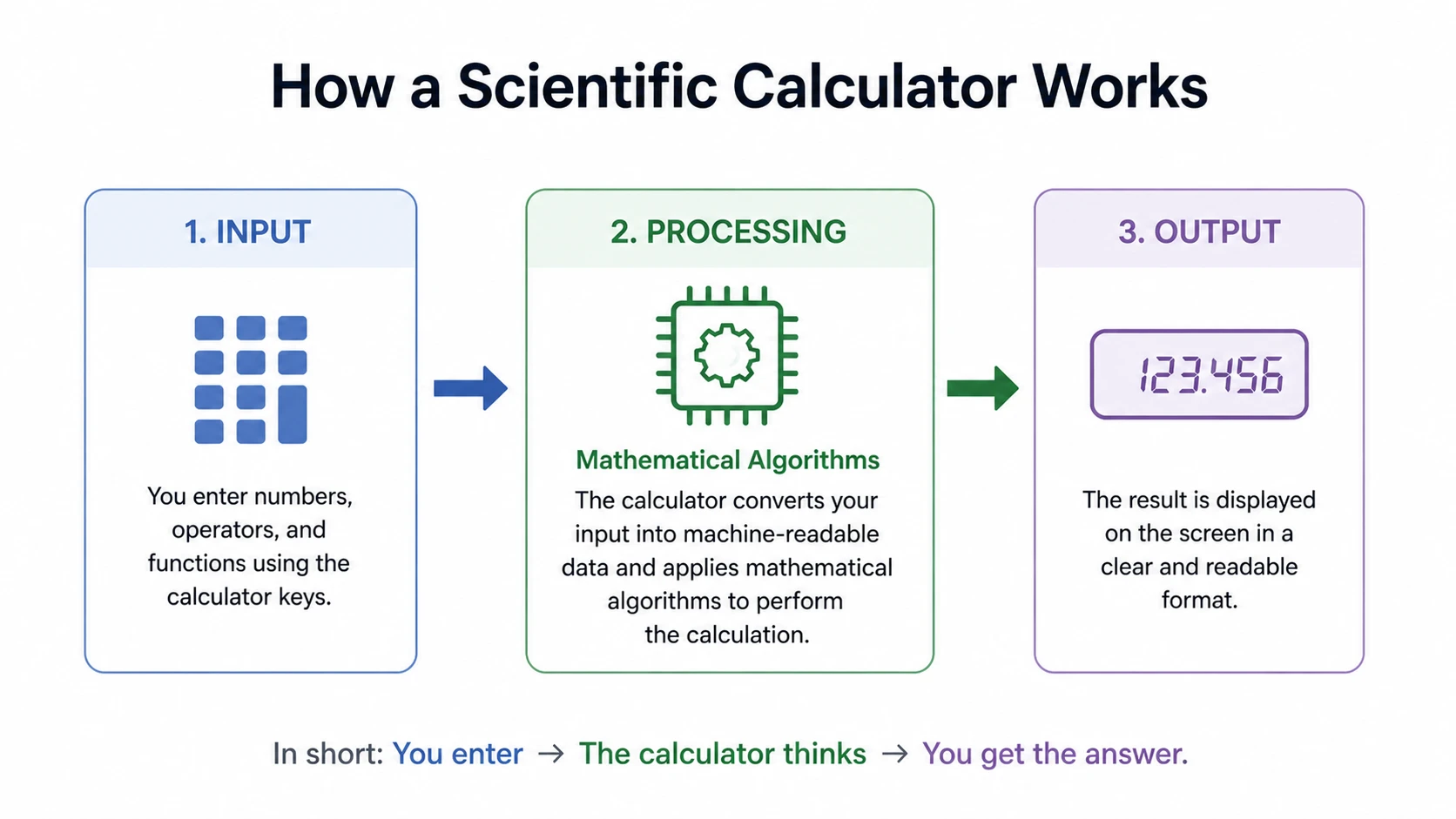
1. Input Stage
You enter numbers, symbols, or expressions.
2. Processing Stage
The system applies:
Mathematical algorithms
bold trigonometry, bold logarithms
Order of operations
3. Output Stage
You get a result based purely on your input.
Key principle:
A calculator simply follows the input it receives—it doesn’t try to understand intent. You can also test these behaviors instantly using our online scientific calculator tool, which helps you verify DEG/RAD changes and input accuracy in real time.
Even advanced calculators don’t evaluate meaning — they simply process structure. That’s why mathematically correct expressions can still produce wrong expectations if entered incorrectly.
Even a small input difference changes the final result.
The 3-Layer Accuracy Framework
To truly understand bold scientific calculator precision, think of accuracy in 3 layers:
1. System Accuracy (Almost Perfect)
Calculator logic is mathematically correct
Same input → same output
2. Input Accuracy (User Responsibility)
Structure matters
Mode matters
Function selection matters
3. Precision Limits (Technical Constraint)
Small rounding differences
Based on floating-point precision
The key takeaway is simple: Most errors happen in Layer 2 – not Layer 1.
In most real cases, calculator accuracy is not a technology problem — it is a structure-interpretation problem.
Accuracy Level of Scientific Calculators
Mathematical Accuracy (Very High)
A scientific calculator is able to give results with a very high level of precision since it follows strict mathematical principles.
It can handle:
Arithmetic
Trigonometry
Scientific notation
Complex equations
This makes it highly reliable for academic and professional use.
Precision Limits of Scientific Calculators
Here’s the reality most people don’t know:
Computers don’t store numbers the way we write them. They use binary, which can slightly change decimal values. These small differences occur due to limits in floating-point arithmetic precision in computing systems.
Example:
0.1 + 0.2 may not show exactly 0.3.
This doesn’t mean the calculator is wrong —It means it’s working within digital limits.
When Results May Slightly Differ
Small variations may happen when:
Using very large numbers
Repeating decimals
Converting formats
These are calculation limitations, not errors.
Why Calculators Sometimes Give “Wrong” Answers
Let’s clear the biggest misconception:
The calculator is not wrong — the input is. For a deeper understanding of how calculators handle complex expressions, you can read our complete guide on online scientific calculators and their functions.
Mini Case Scenario: Why Calculator Results Differ in Exams
In one test scenario, the same equation was solved using identical calculators.
This is what I noticed:
Student A → correct answer
Student B → wrong answer
After checking:

Same formula
Same calculator
❌ Different input structure
In most real cases, this happens during exams when students are rushing and don’t double-check calculator settings — not because the maths is wrong, but because the structure gets overlooked under pressure.
The real takeaway here is execution error, not calculation error.
Common Calculator Errors with Real Examples
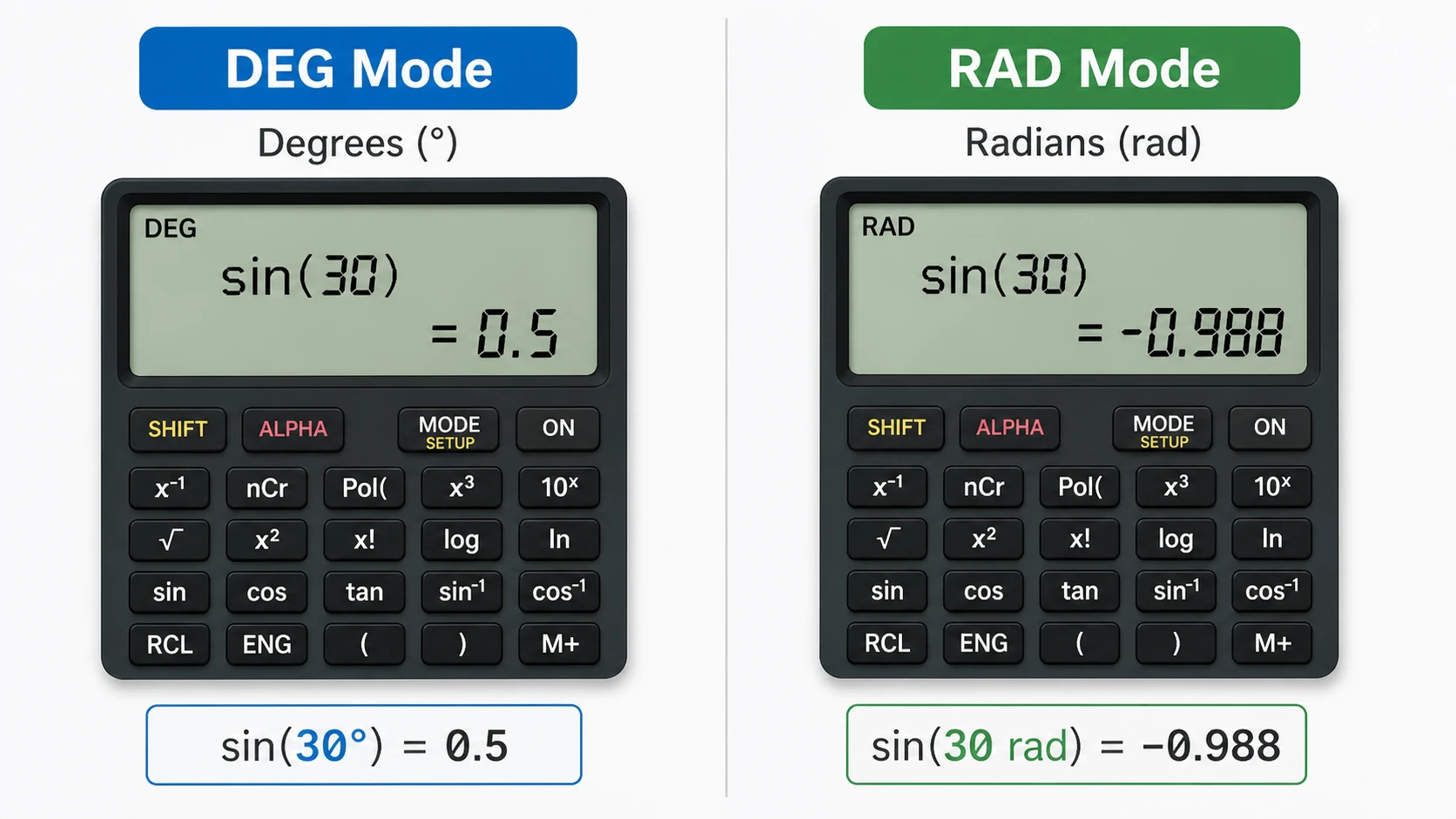
1. Incorrect Angle Mode
Example :
A student enters:
sin (30)
Expected:
0.5
But gets:
-0.988
Why?
The calculator was in RAD mode, not DEG. The difference between degrees and radians is a core concept in trigonometry degree and radian angle measurement system.
2. Missing Brackets
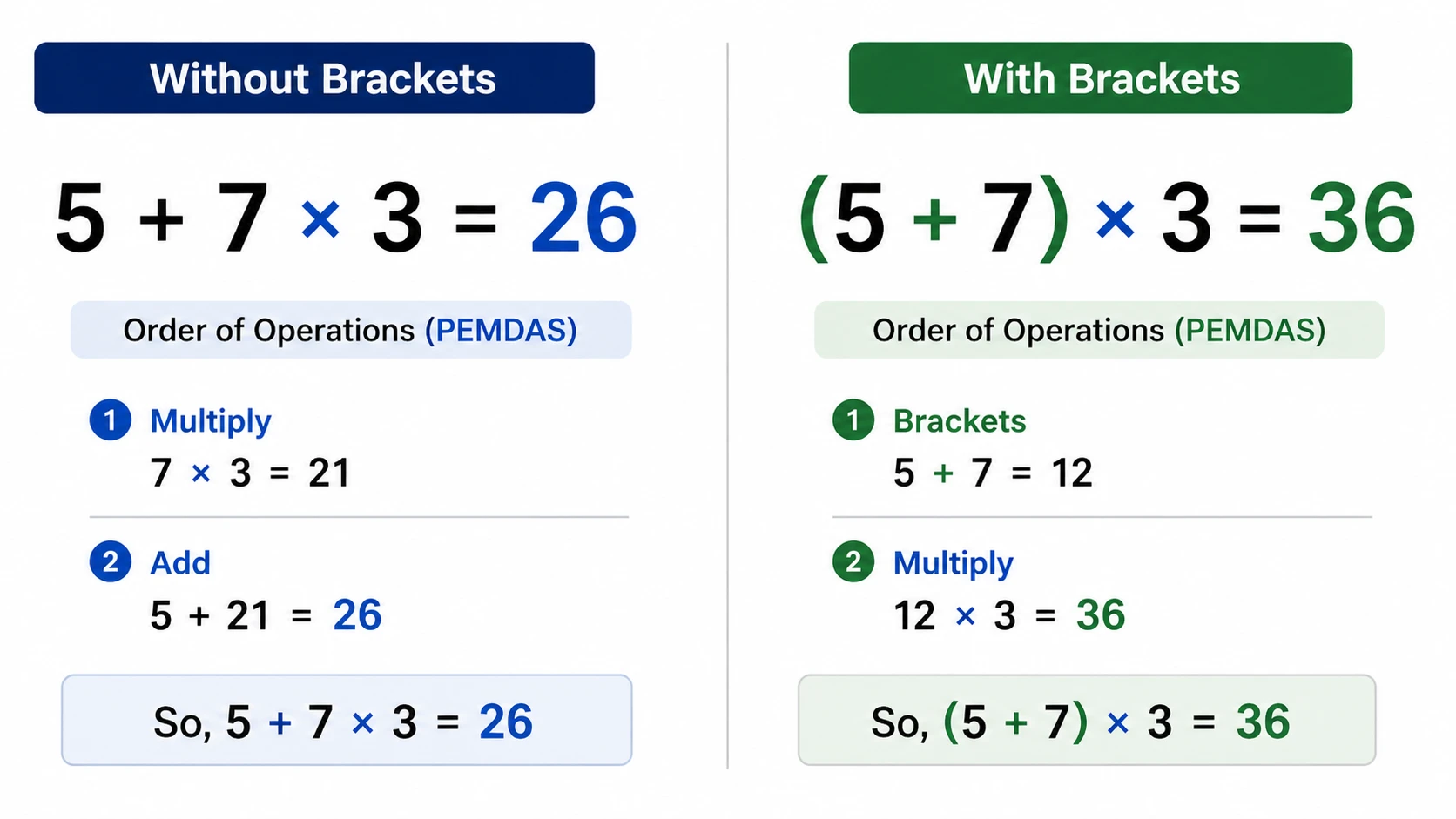
Example:
5 + 7 × 3 = 26
(5 + 7) × 3 = 36
Same numbers, different structure → different result
3. Function Confusion (log vs ln)
In Logarithms:
log = base 10
ln = base
Using the wrong one completely changes the answer. Many of these issues are also explained in our scientific calculator mistakes guide with real exam examples.
4. Memory Carry-Over
Stored values (M+, MR) can affect new calculations.
Hidden issue → difficult to detect
Online vs Physical Calculator Comparison
Here’s a real comparison:
What this comparison clearly shows is the following:
A bold scientific calculator does not fail.
Same logic
Same output
Same accuracy
The difference is usability, not performance.
In practice, all calculators follow the same mathematical engine; the difference comes down to how we use them.
Real-World Accuracy Test of Scientific Calculators
To further verify bold online scientific calculator accuracy, a simple real-world test was performed using the same mathematical expressions across different environments.
Test Inputs:
sin (45°)
log (100)
(5 + 7) × 3
Tools Used:
Online scientific calculator
Mobile calculator app
Physical calculator
Results:
All tools produced identical results when the correct mode and structure were used.
sin (45°) = 0.7071 across all platforms
log (100) = 2 across all platforms
(5 + 7) × 3 = 36 across all platforms
The important thing to notice is the calculation engine is not the variable — the input conditions are.
So, in reality, scientific calculators aren’t inconsistent; the variation comes from how the input is handled.
It processes exactly what you enter, without making assumptions.
Rounding Errors & Precision Limitations
Rounding is often misunderstood, but it plays a bigger role than most people expect.
Example:
0.3333 × 3 ≠ exactly 1
Why?
Because:
Numbers are approximated
Storage is limited
Simple Explanation
Computers don’t store infinite decimals.
So they round slightly.
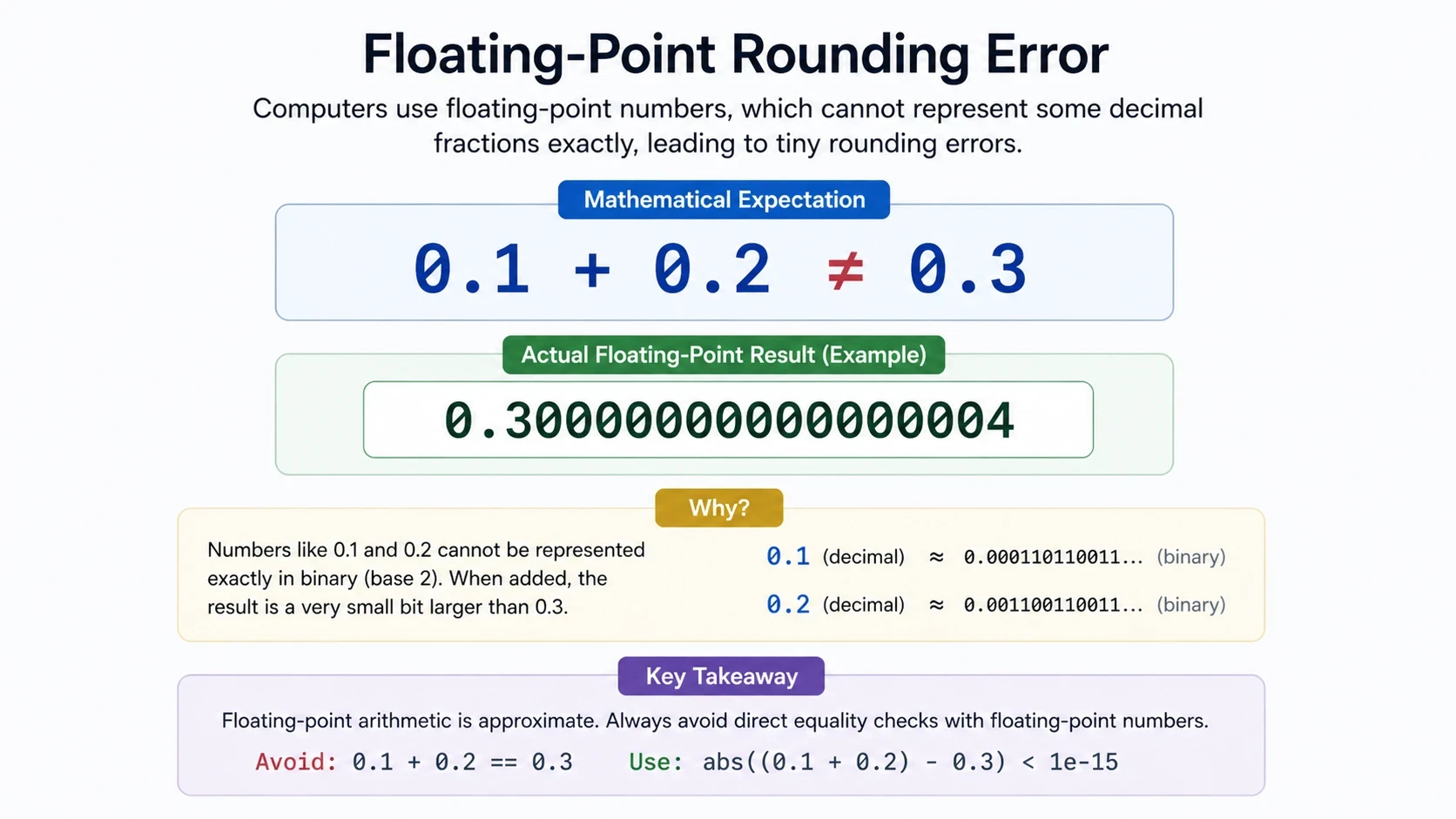
The outcome was clear—these are tiny differences that don’t affect real calculations.
Human Error vs Calculator Accuracy
In real classroom situations, this is where most confusion happens — not in the math itself, but in how the expression is entered under pressure.
Many students panic when they see unexpected results, and the first assumption is usually that the calculator is faulty. But in most cases, the issue is much simpler — it’s just a small input mistake or a missed setting.
This is where small mistakes usually start to appear.
Calculators are consistent
Humans are inconsistent
Real Observation
What actually happens is very predictable:
The calculator stays consistent—it follows the same rules every time. Most variation comes from user input, not the system itself.
User:
❌ May rush
❌ May skip brackets
❌ May forget mode settings
So, in reality, accuracy depends more on user behavior than the calculator itself.
How to Get 100% Accurate Results Every Time
Follow this simple system:
Check DEG vs RAD
Use brackets properly
Choose correct function
Review input before calculating
Clear memory
Pro Tip
For important calculations:
Always verify results, especially in academic or engineering scenarios.
Try Free Online Scientific Calculator Now
Are Online Calculators as Accurate as Physical Calculators?
Yes — both are equally accurate.
Both use the same mathematical principles and follow the same logic.
Difference:
Online → flexible
Physical → fixed
👉 Accuracy = SAME
Final Verdict: Can You Trust Online Scientific Calculators?
Yes — you can trust them.
But only if:
Input is correct
Settings are correct
Structure is correct
So, what’s really happening here is that a bold scientific calculator doesn’t fail — it simply executes exactly what it is given.
FAQs
Yes, online scientific calculators are accurate in most cases when used correctly. They are based on the fixed mathematical logic, yet differences in terms of small rounding may arise due to the way digital systems represent the decimal values and handle the floating-point precision.
Different results happen due to incorrect input, wrong mode (DEG/RAD) or missing brackets. The calculator itself is consistent – variation always comes from how the expression is entered or configured.
No, scientific calculators are not mathematically wrong. They do not interpret meaning — they execute formulas exactly as written. Any incorrect result comes from input structure or settings, not the calculation engine.
To avoid errors, always check DEG/RAD mode, use proper brackets, select correct functions (log vs ln), and carefully review input before calculating. Most issues come from small input or setup oversights.
Calculators give different results due to input errors, incorrect mode settings, or missing brackets. The system itself is stable and always follows fixed mathematical rules.
Both are equally accurate because they use the same mathematical principles. The difference is usability, interface, and flexibility — not calculation accuracy.
The most common mistake is using the wrong angle mode (DEG/RAD), especially in trigonometry. Even correct formulas can give incorrect results if the mode is not set properly.
Yes, small input or setting mistakes can affect exam performance even when the method is correct. That’s why checking calculator mode and structure under time pressure is essential.
What actually happens is that calculators are strictly rule-based systems — they don’t interpret intent, they only execute structure exactly as entered.
So even when a formula is mathematically correct, the final result depends entirely on how it is input. For example, switching between DEG and RAD mode can completely change trigonometric outputs, and missing brackets can alter the order of operations.
So, in real usage, unexpected results are not calculation failures — they are structure-level input issues, not system errors.
Conclusion
So, what this really means is that online scientific calculators are accurate, powerful, reliable, and highly precise tools when used correctly.
They don’t guess or make assumptions—they simply work with whatever input you give them.
When you understand:
Input structure
Calculation logic
Precision limits
You move from:
Confusion → clarity
Guessing → control
Errors → confidence
And most importantly, you start realizing that the calculator was never the problem — the input approach is what defines the result.
That’s why understanding how they behave in real usage matters more than the tool itself.
Start using your bold online scientific calculator with confidence—because accuracy is already built in when used correctly.
Start Using the Online Scientific Calculator Free